Painting Mirror
Painting Mirror
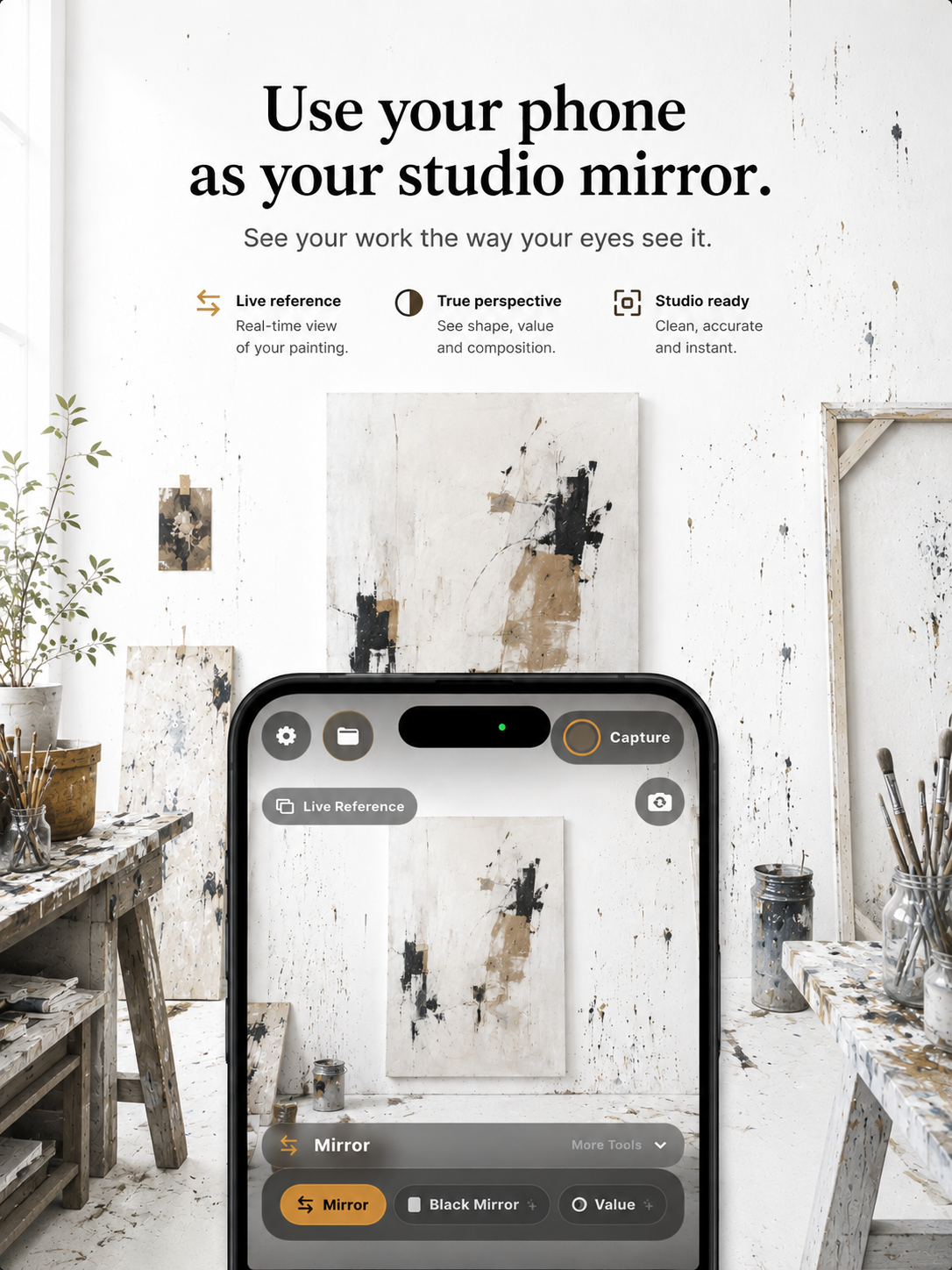
Painting Mirror is an innovative iPhone camera studio designed specifically for painters. It serves as a dedicated observation tool for artists seeking to enhance their visual clarity and improve their painting process by translating traditional studio habits into a focused mobile workflow.
Key Features:
Furthermore, the app facilitates critical self-assessment with tools like 'Black Mirror' for a neutral view and 'Critique Delay' to introduce a pause before review, encouraging more objective analysis. This suite of tools helps artists make more informed decisions, leading to clearer observation and ultimately, better paintings by keeping traditional studio discipline readily accessible.
Pricing Information:Painting Mirror operates on a freemium model. The core 'Mirror' and 'Composition' features are available free forever. Access to the 'Full Studio' tools, which include Grayscale, Blur, Step Back, Black Mirror, and Critique Delay, can be unlocked through App Store trial eligibility or via paid subscriptions (monthly, yearly) or a one-time permanent purchase.
User Experience and Support:The app is designed with a quiet, focused interface, making traditional studio habits immediate and one-tap away during painting sessions. Its commitment to privacy is paramount, with all processing running entirely on-device, ensuring no camera feed recording, remote storage, analytics, advertising, or tracking SDKs. For assistance, users can reach out via email to hello@nicesoftware.xyz, expecting a human response within a day or two.
Technical Details:Painting Mirror is built for the iPhone, leveraging its camera capabilities for real-time, on-device visual processing. This architecture ensures that all user data and camera feeds remain private and are never transmitted or stored remotely, saving captures only to the user's Photo Library and on-device Studio Assistant.
Pros and Cons:
Key Features:
- Free Mirror and Composition guides for essential observation checks.
- Full Studio tools including Grayscale, Blur, Step Back, Black Mirror, and Critique Delay.
- On-device processing ensuring complete privacy with no analytics, ads, or tracking.
- Integrated studio habits like Pinch to Squint, Rest Eye, and Pinned Study.
- Studio Assistant for saving, marking up, and exporting observations.
- Live Reference capability for comparing studies.
Furthermore, the app facilitates critical self-assessment with tools like 'Black Mirror' for a neutral view and 'Critique Delay' to introduce a pause before review, encouraging more objective analysis. This suite of tools helps artists make more informed decisions, leading to clearer observation and ultimately, better paintings by keeping traditional studio discipline readily accessible.
Pricing Information:Painting Mirror operates on a freemium model. The core 'Mirror' and 'Composition' features are available free forever. Access to the 'Full Studio' tools, which include Grayscale, Blur, Step Back, Black Mirror, and Critique Delay, can be unlocked through App Store trial eligibility or via paid subscriptions (monthly, yearly) or a one-time permanent purchase.
User Experience and Support:The app is designed with a quiet, focused interface, making traditional studio habits immediate and one-tap away during painting sessions. Its commitment to privacy is paramount, with all processing running entirely on-device, ensuring no camera feed recording, remote storage, analytics, advertising, or tracking SDKs. For assistance, users can reach out via email to hello@nicesoftware.xyz, expecting a human response within a day or two.
Technical Details:Painting Mirror is built for the iPhone, leveraging its camera capabilities for real-time, on-device visual processing. This architecture ensures that all user data and camera feeds remain private and are never transmitted or stored remotely, saving captures only to the user's Photo Library and on-device Studio Assistant.
Pros and Cons:
- Pros: Enhances painter's observation skills; Strong privacy commitment (on-device only); Freemium model with essential free tools; Streamlines traditional studio habits; Comprehensive suite of critique tools; No ads or tracking.
- Cons: Exclusively for iPhone (iOS platform); Full Studio features require payment/trial; No explicit mention of advanced customization options.
Comments
Achievement


Publisher

Launch Date2026-07-17
Platformmobile
Pricingfreemium
Tech Stack
#iOS
Sponsors

Product Hunt Email Scraper
Scraper Email for Product Hunt Daily leaderboard and peerlist, tinylaunch, uneed.

TinyHunt
Launch your project and get a badge, a high DR backlink and more.
Become a Sponsor
Get your brand featured here
Outbid
View🥇 🥈
🥈 🥉
🥉
Want this spot? Pay what you wantSubmit Your Startup to 100+ Directories | Submitator
Automated startup directory submission service. Get listed on Product Hunt, BetaList, Indie Hackers & 100+ directories for SEO backlinks and DR boost. From $29.
$40
Boost Your Domain Rating — DoFollow Backlinks (DR 30–70) from $30
Raise your Ahrefs Domain Rating with 5 - 50 dofollow backlinks from DR 30–60 sites — from $50, guaranteed to improve your DR or your money back.
$35
DirEasy - The Best Directory Boilerplate with AI | DirEasy
The best directory boilerplate, packed with AI, Listings, Payment, Submission, CMS, Blog, Authentication, Newsletter, SEO and more.
$30