Launch. Get Seen

The launch platform for ambitious founders and small teams.

SmolLaunchPad - Domain Rating

Top 8 on Outbid

#1$50
Best Launch Directories: launch directories with DR, traffic and pricing logo

Best Launch Directories: launch directories with DR, traffic and pricing

Launch directories, product launch platforms and startup listing sites in one table, with Domain Rating by Ahrefs, traffic where known, pricing and link type for each.

#2$45
Boost Your Domain Rating — DoFollow Backlinks (DR 30–70) from $30 logo

Boost Your Domain Rating — DoFollow Backlinks (DR 30–70) from $30

Raise your Ahrefs Domain Rating with 5 - 50 dofollow backlinks from DR 30–60 sites — from $50, guaranteed to improve your DR or your money back.

#3$41
DirEasy - The Best Directory Boilerplate with AI | DirEasy logo

DirEasy - The Best Directory Boilerplate with AI | DirEasy

The best directory boilerplate, packed with AI, Listings, Payment, Submission, CMS, Blog, Authentication, Newsletter, SEO and more.

#4$40
Submit Your Startup to 100+ Directories | Submitator logo

Submit Your Startup to 100+ Directories | Submitator

Automated startup directory submission service. Get listed on Product Hunt, BetaList, Indie Hackers & 100+ directories for SEO backlinks and DR boost. From $29.

#5$30
DirEasy - The Best Directory Boilerplate with AI | DirEasy logo

DirEasy - The Best Directory Boilerplate with AI | DirEasy

The best directory boilerplate, packed with AI, Listings, Payment, Submission, CMS, Blog, Authentication, Newsletter, SEO and more.

#6$25
Quiz Shot - Solve Any Screenshot Question in Seconds. logo

Quiz Shot - Solve Any Screenshot Question in Seconds.

AI Study Assistant that answers any screenshot question. Get free AI tutor and step-by-step math and homework help with ChatGPT.

#7$21
SizeItUp – Size It Up, the daily size comparison game logo

SizeItUp – Size It Up, the daily size comparison game

Size It Up is a free daily size comparison game. Guess the size of everyday objects, planets and dinosaurs against one you know, with every answer sourced.

#8$20
Quiz Boost - Invisible AI for Proctored Exams. logo

Quiz Boost - Invisible AI for Proctored Exams.

Quiz Boost works seamlessly with Canvas, Blackboard, Moodle, Schoology, and more. Get intelligent assistance that's completely undetectable by standard LMS monitoring.

Top Projects Launching Today

New launches in
00h
:
00m
:
00s
EnjoySEOs logo

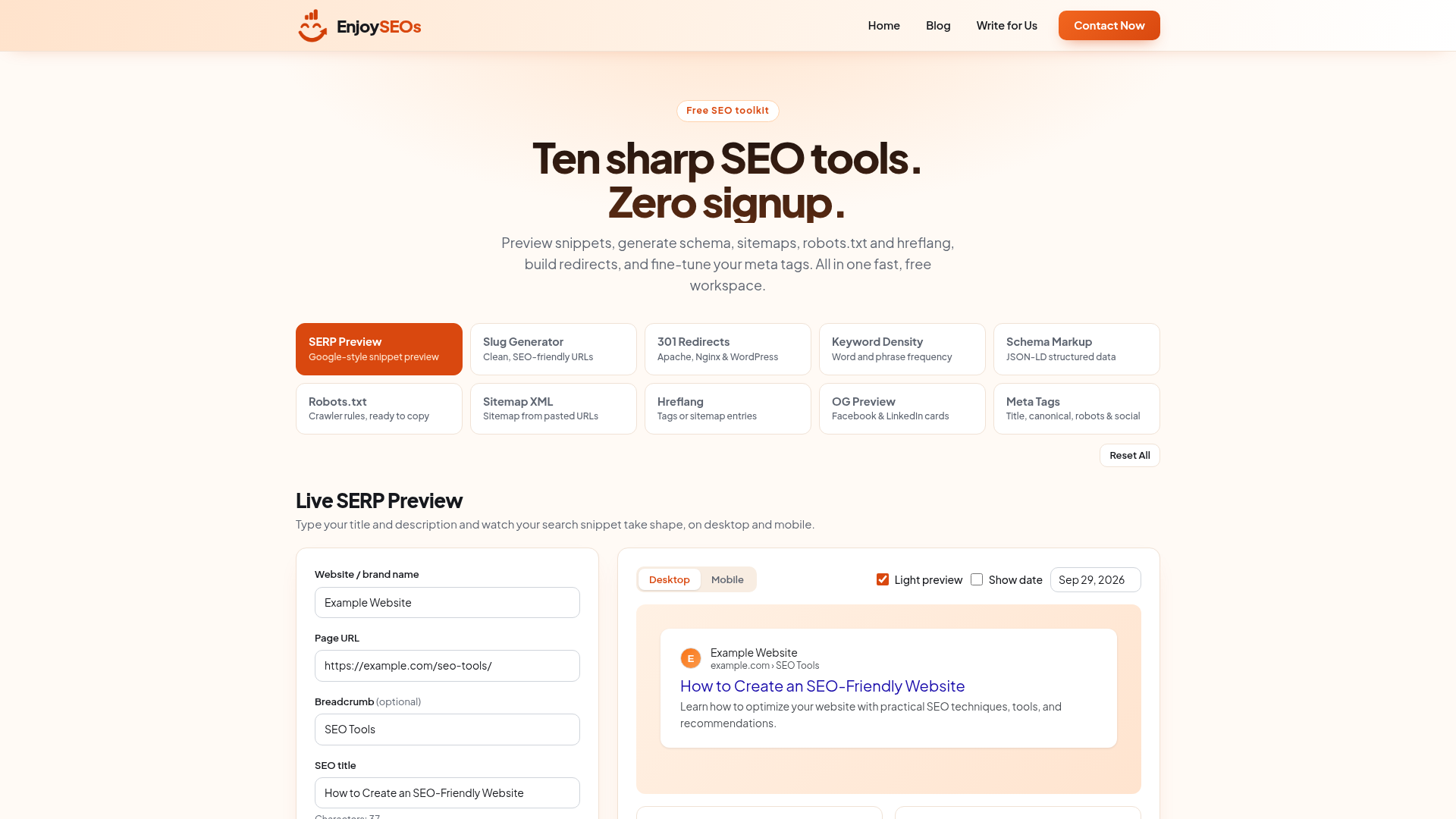
EnjoySEOs offers a comprehensive suite of ten free and fast SEO tools designed to empower marketers, agencies, and site owners. This platform eliminates the need for sign-ups, providing instant access to essential functionalities for optimizing website visibility and performance. It caters to anyone looking to improve their search engine rankings and digital marketing efforts without cost or commitment. Key Features: Live SERP Preview: Visualize search snippets on desktop and mobile in real-time. Schema Markup Generator: Create JSON-LD structured data for rich results. Robots.txt Generator: Build crawler rules and generate ready-to-upload robots.txt files. Sitemap XML Generator: Generate valid XML sitemaps from a list of URLs. Hreflang Generator: Create hreflang link tags or XML sitemap entries for multilingual sites. Meta Tag Generator: Generate title, description, canonical, robots, and social meta tags. Use Cases: EnjoySEOs is invaluable for SEO professionals who need to quickly test and refine their on-page optimization strategies. For instance, the Live SERP Preview allows for immediate feedback on how title tags and meta descriptions will appear in search results, enabling rapid iteration and improvement. Similarly, the Schema Markup Generator simplifies the process of adding structured data, which can significantly enhance a website's visibility with rich snippets. Website owners and digital marketers can leverage these tools to ensure their sites are technically sound and optimized for search engines. The Robots.txt Generator helps control crawler access, preventing unwanted indexing, while the Sitemap XML Generator ensures all important pages are discoverable. These tools streamline routine SEO tasks, making advanced optimization accessible even to those with limited technical expertise. Pricing Information: EnjoySEOs is completely free to use, requiring no sign-up or subscription. All tools are available without any cost, making it an accessible resource for individuals and businesses of all sizes. User Experience and Support: The platform boasts a fast and intuitive user interface, designed for ease of use. Each tool is straightforward, with clear input fields and immediate output generation. While specific documentation or dedicated support channels aren't explicitly mentioned, the self-explanatory nature of the tools and the "Contact Now" option suggest a user-friendly approach. Technical Details: The tools operate locally within the user's browser for certain functionalities like image uploads, ensuring privacy and speed. The output for generators like Schema Markup, Robots.txt, and Hreflang is provided in standard formats (JSON-LD, plain text, HTML/XML) ready for direct implementation on websites. Pros and Cons: Pros: Completely free with no sign-up required. Fast and efficient tools for immediate results. Covers a wide range of essential SEO tasks. User-friendly interface, easy to navigate. Local browser processing for privacy on some features. Cons: No explicit mention of advanced analytics or reporting. Limited information on direct integrations with CMS platforms. May require some basic SEO knowledge to fully utilize all features. Conclusion: EnjoySEOs provides an excellent, no-cost solution for fundamental SEO tasks, making it an indispensable toolkit for anyone looking to enhance their website's search engine performance. Its speed, ease of use, and comprehensive set of generators offer significant value. Explore EnjoySEOs today to streamline your SEO workflow and improve your online presence.

Speejax  logo

Free, browser-based tools to minify code, compress images and build performance-ready markup. No signup, no server uploads.

ReelMuse logo

ReelMuse is an innovative AI Video Generator that transforms text, images, or existing video clips into dynamic AI-powered videos. It serves as an accessible online workspace for creators of all levels, eliminating the need for traditional video editing experience. Target Audience & Use Cases: ReelMuse is ideal for content creators, marketers, small businesses, and individuals looking to quickly produce engaging video content for social media, product showcases, personal messages, or short stories. It simplifies the video creation process, allowing users to focus on their creative vision rather than complex editing software. Key Features: Multiple AI Video Models: Access Seedance 2, MiniMax H3, and Google's Veo 3.1 for diverse generation capabilities. Flexible Inputs: Generate videos from text prompts, still images, or existing video clips. Guided Motion & Framing: Describe camera direction, lighting, and specific movements in everyday language. AI Dance Workspace: Create animated dance videos for people, babies, and pets using templates or custom motion. Native Audio Generation: Veo 3.1 supports synchronized dialogue, sound effects, and ambient audio. No Editing Timeline: Describe your desired outcome and let the AI generate the clip directly in your browser. Use Cases: ReelMuse empowers users to bring a wide range of creative ideas to life. You can start with a simple text prompt to conceptualize an entire scene, such as "a paper boat drifting through a rain puddle at sunset." For those with visual assets, the platform can animate a still photograph or illustration, adding dynamic movement and atmosphere. Furthermore, existing video footage can be transformed into new visual styles or treatments, offering a fresh perspective on original content. The dedicated AI Dance workspace provides a unique avenue for creating playful and engaging clips, from baby dance videos for family messages to pet dance videos for social sharing. Pricing Information: ReelMuse operates on a freemium model, offering free signup credits and daily login credits for new and returning users. For more extensive creation, paid subscription plans (Lite, Pro, Studio) are available, providing annual credit allowances at competitive rates. The credit cost for each generation is transparently displayed before creation, ensuring no surprises. A full refund is available within 3 days if purchased credits remain unused. User Experience and Support: The platform boasts an intuitive, browser-based workspace designed for ease of use, requiring no prior video editing experience. Users simply describe their desired video in natural language, choose a model, and generate. The "Generate" section keeps track of pending tasks and finished videos, allowing for easy review and download. An extensive FAQ section provides answers to common questions and tips for improving video results. Technical Details: ReelMuse integrates advanced AI video generation models like Seedance 2, MiniMax H3, and Google's Veo 3.1. Veo 3.1, in particular, offers high-fidelity scenes with natural motion, realistic visual detail, and native audio generation, with output options up to 4K resolution. The platform supports various aspect ratios and allows for specifying first or last frames. Pros and Cons: Pros: Extremely user-friendly, no editing skills required. Supports diverse inputs: text, image, and video. Access to multiple powerful AI models, including Veo 3.1 with native audio. Free credits available for initial exploration. Commercial use rights included with generated content. Browser-based, accessible from anywhere. Cons: Credit-based system may require careful management for heavy users. Daily free credits have a one-day validity. Achieving optimal results may involve a learning curve for prompt engineering. Generation time can vary based on model complexity and queue. Conclusion: ReelMuse stands out as a versatile and accessible AI video generator, empowering users to effortlessly transform ideas, images, and existing footage into compelling video content. With its range of advanced models and user-friendly interface, it's an excellent tool for anyone looking to create engaging videos quickly. Start for free today and unleash your creative potential.

Emailyy logo

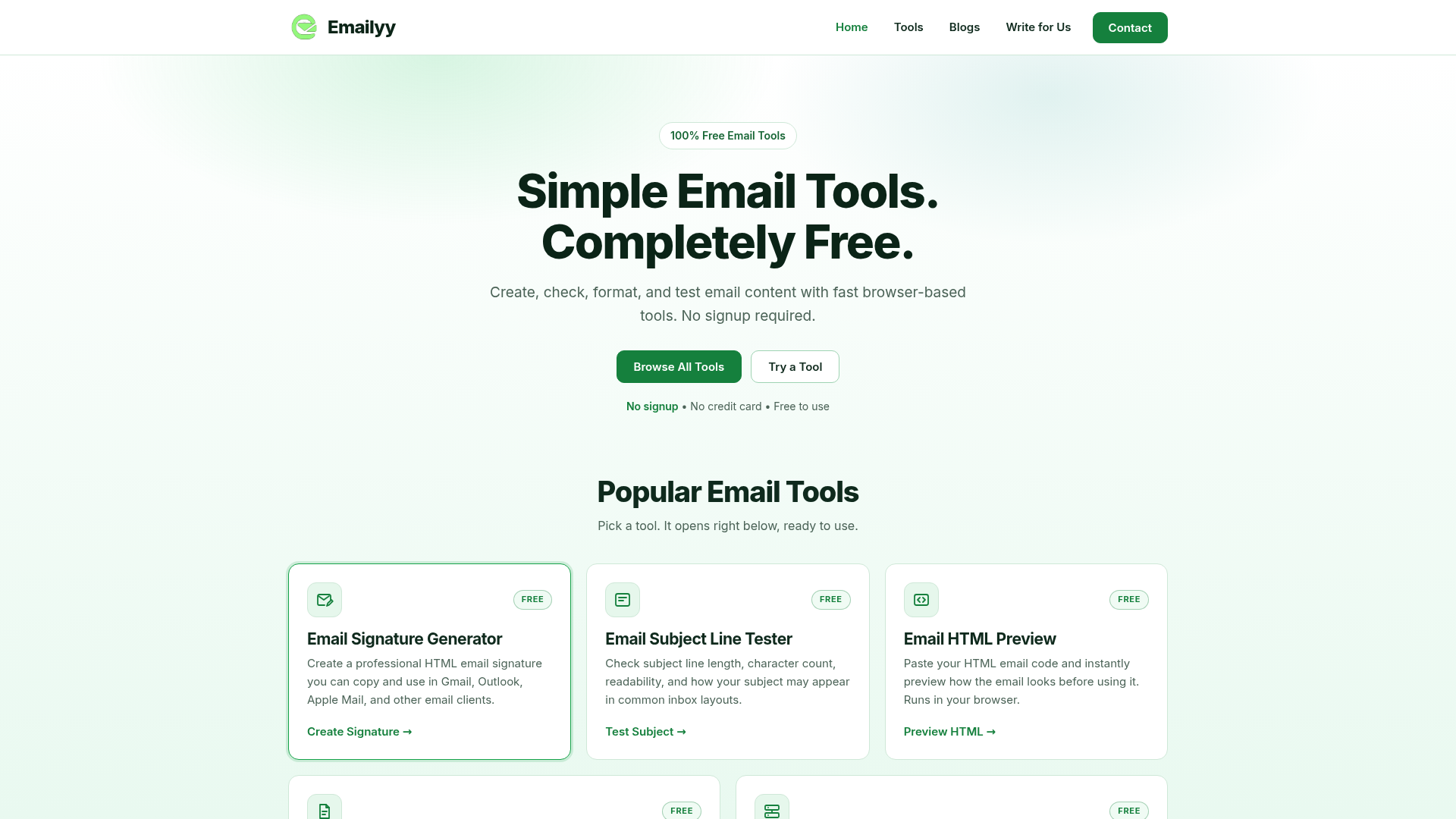
Emailyy offers a suite of 100% free, browser-based email tools designed to simplify everyday email tasks. It's perfect for marketers, developers, and anyone who regularly works with email content, signatures, or technical email analysis, providing quick and efficient solutions without the need for accounts or subscriptions. Key Features: Free Email Signature Generator: Create professional HTML email signatures for various email clients. Free Email Subject Line Tester: Analyze subject line length, readability, and inbox appearance. Free Email HTML Preview: Instantly render HTML email code to see how it looks before sending. Free Email Word Counter: Get immediate counts of words, characters, sentences, and paragraphs. Free Email Header Analyzer: Inspect delivery information, timestamps, and authentication results from email headers. Use Cases: Emailyy is invaluable for email marketers who need to quickly test subject lines for optimal engagement or preview HTML emails to ensure consistent rendering across different platforms. Developers can use the HTML preview tool to debug email templates without deploying them, and the header analyzer helps troubleshoot delivery issues by providing insights into mail routing and authentication. For professionals, the email signature generator streamlines the creation of consistent and branded signatures for their team, saving time and ensuring a polished appearance in every communication. Content creators and copywriters can leverage the word counter to meet specific length requirements for email campaigns or newsletters, ensuring their message is concise and impactful. Pricing Information: Emailyy is completely free to use. There are no subscriptions, credit card requirements, or paid upgrades. All tools are accessible without any cost. User Experience and Support: Emailyy boasts a simple, intuitive, and responsive user interface that works seamlessly across desktops, tablets, and mobile phones. Users can open a tool and start using it immediately without any setup or installation. While specific documentation or tutorials aren't explicitly mentioned, the tools are designed for straightforward use, requiring minimal guidance. Support is available via email. Technical Details: The tools are browser-based, meaning they run directly in modern web browsers without requiring any software installation. Scripts are blocked in the HTML preview, and no data is sent to a server, ensuring privacy and security for user content. Pros and Cons: Pros: Completely free with no hidden costs. No signup or account creation required. Browser-based, accessible from any device. Simple and intuitive user interface. Focuses on privacy by not sending data to servers. Cons: Limited to email-specific tools. No advanced features like A/B testing or email sending. Lack of explicit documentation or tutorials (though tools are self-explanatory). Conclusion: Emailyy provides an essential collection of free, easy-to-use email tools that streamline common email-related tasks. Its commitment to being free, browser-based, and requiring no signup makes it an excellent resource for anyone looking for quick and efficient email content management and analysis. Explore Emailyy today to simplify your email workflow.

Yesterday's Launches

WEXTL logo

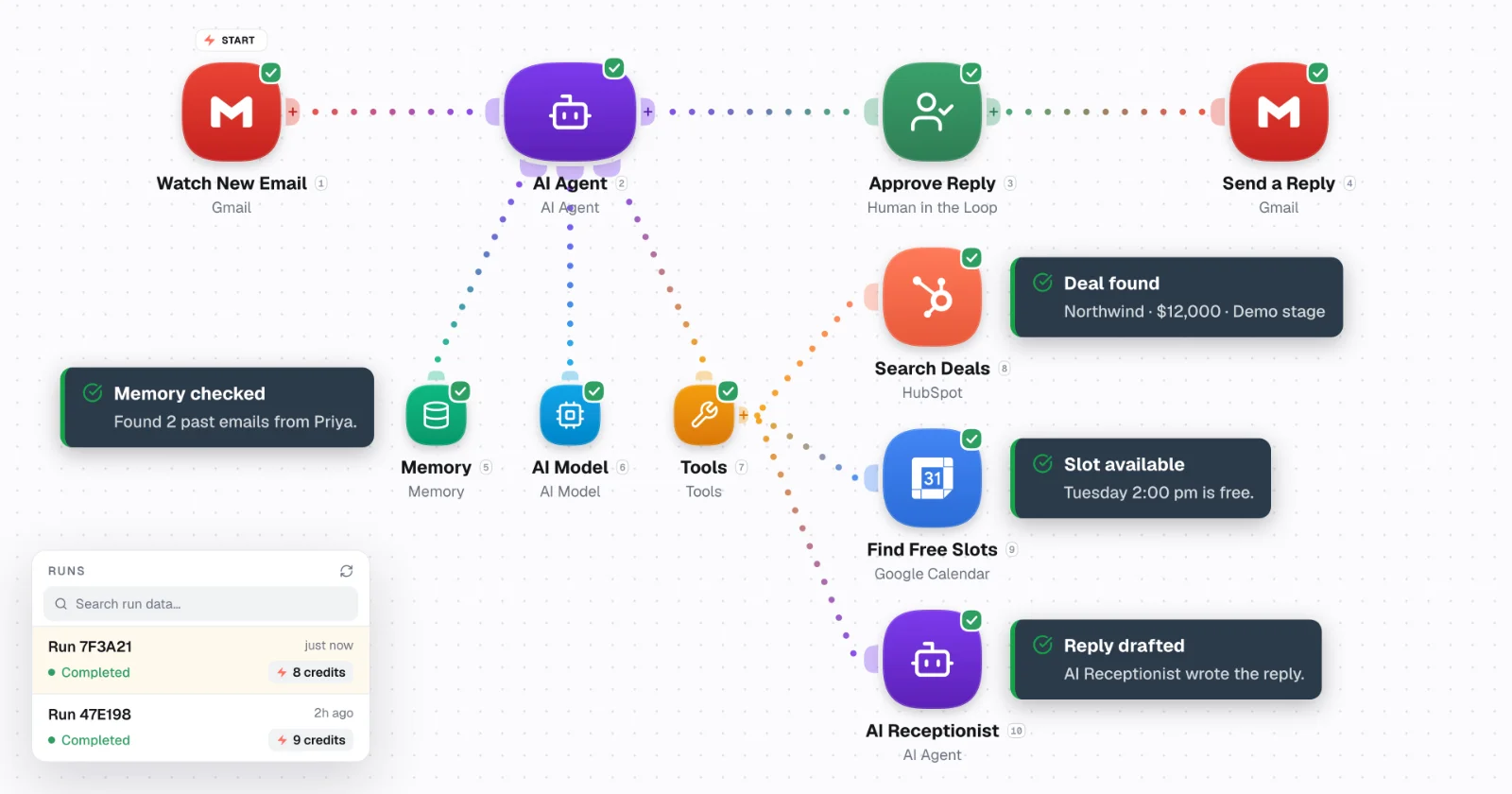
Build AI agents and automate workflows across your apps on WEXTL — with loops, human-in-the-loop controls, and systems that scale. Connectors first. Drop to JS when you need to.WEXTL gives more for better price. Most used features are available out of the box, and you can scale predictably.This is better choice rather than self-hosted versions of n8n or other tools - where you pay same price, but do not have backups, support and ongoing maintenance of the connectors.The team behind WEXTL has been in automation world for more than 6 years, and knows all pain point of alternative automation tools.

Last Week's Top

QBOtoExcel logo

QBOtoExcel is a convenient online tool that allows users to convert QuickBooks QBO files into Excel (XLSX) or CSV formats directly in their browser. This SaaS solution is designed for individuals and businesses needing to analyze bank transactions without requiring QuickBooks software. It's ideal for accountants, small business owners, and anyone needing to reconcile bank statements or export financial data for further analysis. Key Features: Local Processing: Your QBO file is processed entirely in your browser, ensuring privacy and data security as nothing is uploaded to a server. Multiple Output Formats: Convert QBO files to either XLSX for easy Excel integration or CSV for compatibility with various accounting tools and databases. No QuickBooks Required: Perform conversions without needing to install or own QuickBooks software. Detailed Transaction Extraction: Extracts essential fields including Date, Transaction Type, Amount, Name, Memo, Transaction ID, and Account. Single-File Workflow: Designed for straightforward conversion of one QBO file at a time, ensuring simplicity and predictability. Free to Use: The service is currently free for single QBO file conversions. Use Cases: QBOtoExcel is perfect for monthly bank reconciliation, allowing users to quickly get their bank activity into a spreadsheet for sorting, filtering, and matching against statements. Accountants can receive clean, organized transaction data from clients without needing access to their QuickBooks accounts, streamlining the reconciliation process. Furthermore, businesses can use this tool to build simple cash-flow reports, pass transaction details to other accounting systems, or create a readable table of financial data for team collaboration. It's a valuable resource for anyone who needs to extract and manipulate financial transaction data in a spreadsheet format. Pricing Information: The current version of QBOtoExcel is free to use for single QBO file conversions. There are no hidden costs or subscriptions for this basic functionality. Future plans include a paid Pro plan for higher-volume use and batch workflows, but the core single-file conversion remains free. User Experience and Support: The user interface is designed for simplicity, requiring users to merely drag and drop their QBO file or select it from their device. The conversion happens locally and quickly, with immediate download options for XLSX or CSV. The website provides clear instructions on how to use the converter and explains what data is extracted. As the processing is local, there's an inherent trust in data privacy. Technical Details: The conversion process runs entirely within the user's browser, leveraging client-side scripting to parse the QBO file and generate the output. This approach ensures that no sensitive financial data leaves the user's device. The tool extracts data based on standard OFX tags such as DTPOSTED, TRNTYPE, TRNAMT, NAME, PAYEE, MEMO, FITID, CHECKNUM, and ACCTID. Pros and Cons: Pros: Free to use, local processing for privacy, no QuickBooks installation needed, supports XLSX and CSV, extracts key transaction details, user-friendly interface. Cons: Currently limited to single-file conversions, not a full QuickBooks substitute, does not connect to bank accounts directly, no advanced accounting features. Conclusion: QBOtoExcel offers a straightforward, secure, and free solution for converting QuickBooks QBO files into usable spreadsheet formats. Its local processing and ease of use make it an excellent tool for quick financial data analysis and reconciliation. Explore QBOtoExcel today to simplify your financial data management.

VidSyndicate logo

VidSyndicate is a comprehensive social publishing platform designed to streamline content creation, scheduling, and distribution across multiple channels from a single, intuitive dashboard. It empowers creators, marketers, and businesses to achieve consistent multi-platform presence with minimal effort, transforming repetitive manual posting into an organized, efficient workflow. Targeting content creators, social media managers, podcasters, and digital marketers, VidSyndicate is ideal for anyone looking to amplify their reach and maintain a strong online presence across diverse platforms without the hassle of managing each one individually. Key Features Create Once, Publish Everywhere: Upload or create content once and adapt it for various social networks. Multi-Platform Support: Connects with Facebook, Instagram, LinkedIn, YouTube, TikTok, Pinterest, X (Twitter), Bluesky, Mastodon, Rumble, iHeartRadio, Spotify, and Apple Podcasts. Unified Publishing Calendar: Visualize all drafts, scheduled releases, and published content in one central view. Social SEO Campaigns: Repurpose website pages into 30 days of scheduled social content to boost visibility. Integrated Podcast Management: Manage audio/video episodes, maintain RSS feeds, and distribute podcasts directly. AI Description Generator: Leverage artificial intelligence to quickly generate compelling content descriptions. Use Cases VidSyndicate is invaluable for content creators who juggle multiple social media profiles and need to maintain a consistent posting schedule. Instead of manually uploading videos to YouTube, then TikTok, and then creating separate posts for Instagram and X, users can manage all these tasks from one workspace. This ensures brand consistency and saves significant time, allowing creators to focus more on content production rather than distribution logistics. For businesses and digital marketers, VidSyndicate's Social SEO Campaigns feature offers a unique advantage. It allows them to transform existing website content into a month-long social media strategy, driving traffic back to their site and enhancing their search engine optimization efforts through consistent social engagement. Podcasters will find the integrated podcast management particularly useful, as it simplifies the process of distributing episodes across major audio platforms and managing their RSS feed, all within the same environment used for their social media promotion. Pricing Information VidSyndicate operates on a freemium model, allowing users to start publishing with essential features at no cost, without requiring a credit card. As publishing needs grow, users can upgrade to paid plans, such as the Starter plan at $9/month, which includes 25 GB of storage and access to the same comprehensive publishing workspace. Higher-capacity plans are also available to accommodate larger content volumes. User Experience and Support The platform boasts a "calm workspace" and a "one straightforward workflow" (Connect, Create, Publish) designed for ease of use, replacing repetitive manual tasks with an organized path. Users can watch a product tour to see VidSyndicate in action. Comprehensive resources are available, including a blog, community forums, creator resources, case studies, API documentation, and publishing guides, ensuring users have ample support and learning materials. Technical Details While specific programming languages or frameworks are not detailed, VidSyndicate functions as a robust web-based SaaS platform, providing a seamless user experience across various browsers and devices. Its integration capabilities with numerous social media and podcasting APIs underscore its technical foundation for broad content distribution. Pros and Cons Pros: Centralized content management, extensive multi-platform support, AI-assisted features (like description generation), dedicated podcast management, efficient content repurposing with Social SEO, clear publishing calendar, free entry point. Cons: Specific technical stack not disclosed, potential learning curve for maximizing all advanced features, no explicit mention of mobile apps (though web-based implies mobile browser compatibility). Conclusion VidSyndicate offers an indispensable solution for anyone seeking to simplify and scale their content distribution strategy. By consolidating video, post, and podcast publishing into a single, AI-enhanced dashboard, it ensures greater efficiency, consistency, and reach across the digital landscape. Start publishing smarter and explore VidSyndicate today to transform your content workflow.


OGList logo

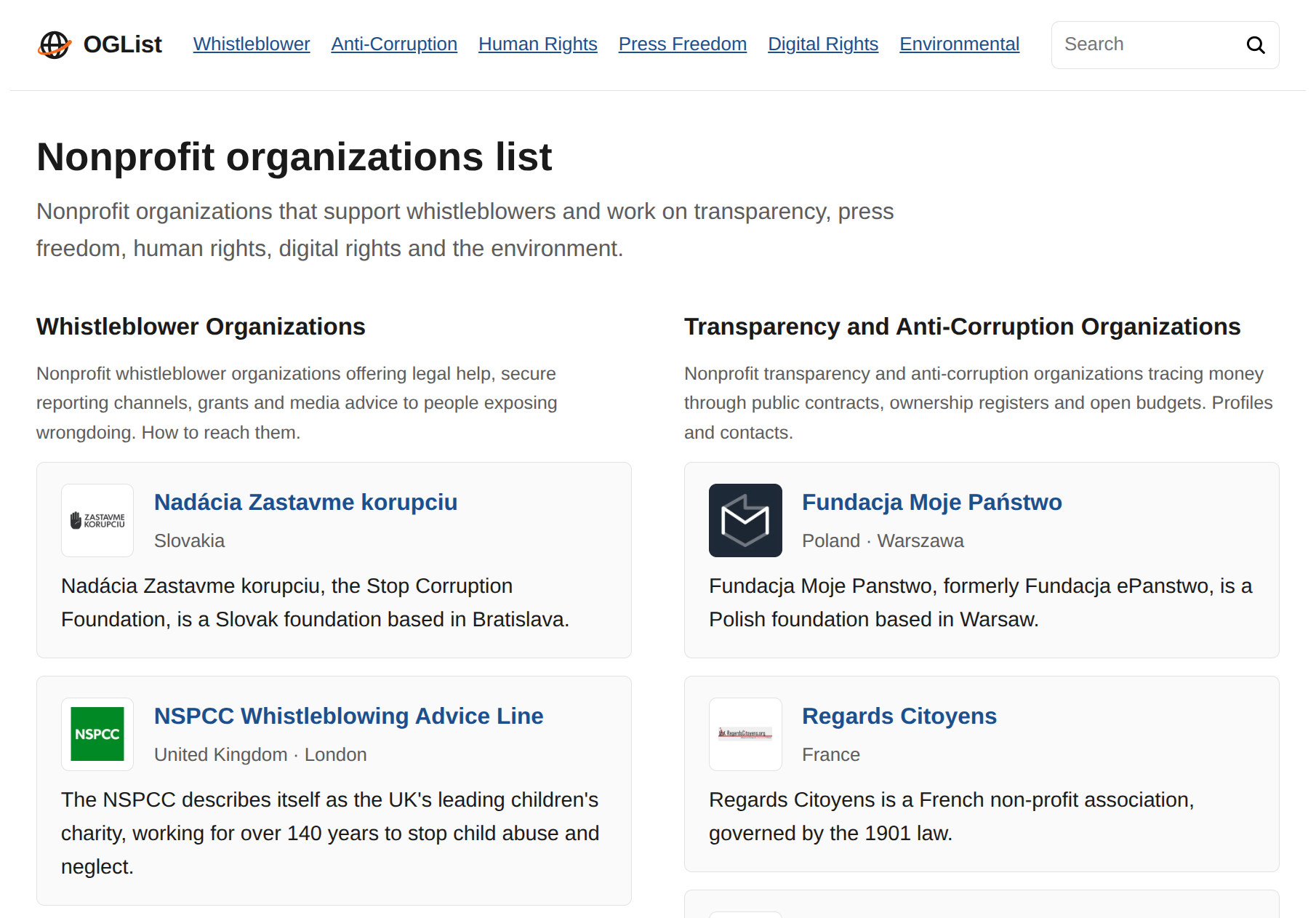
OGList is a curated directory of nonprofit organizations, government and international bodies working on whistleblower protection, anti-corruption, human rights, press freedom, digital rights and the environment. It provides profiles and contact information for foundations, watchdogs and advocacy groups across Europe and beyond.

ToolVerified logo

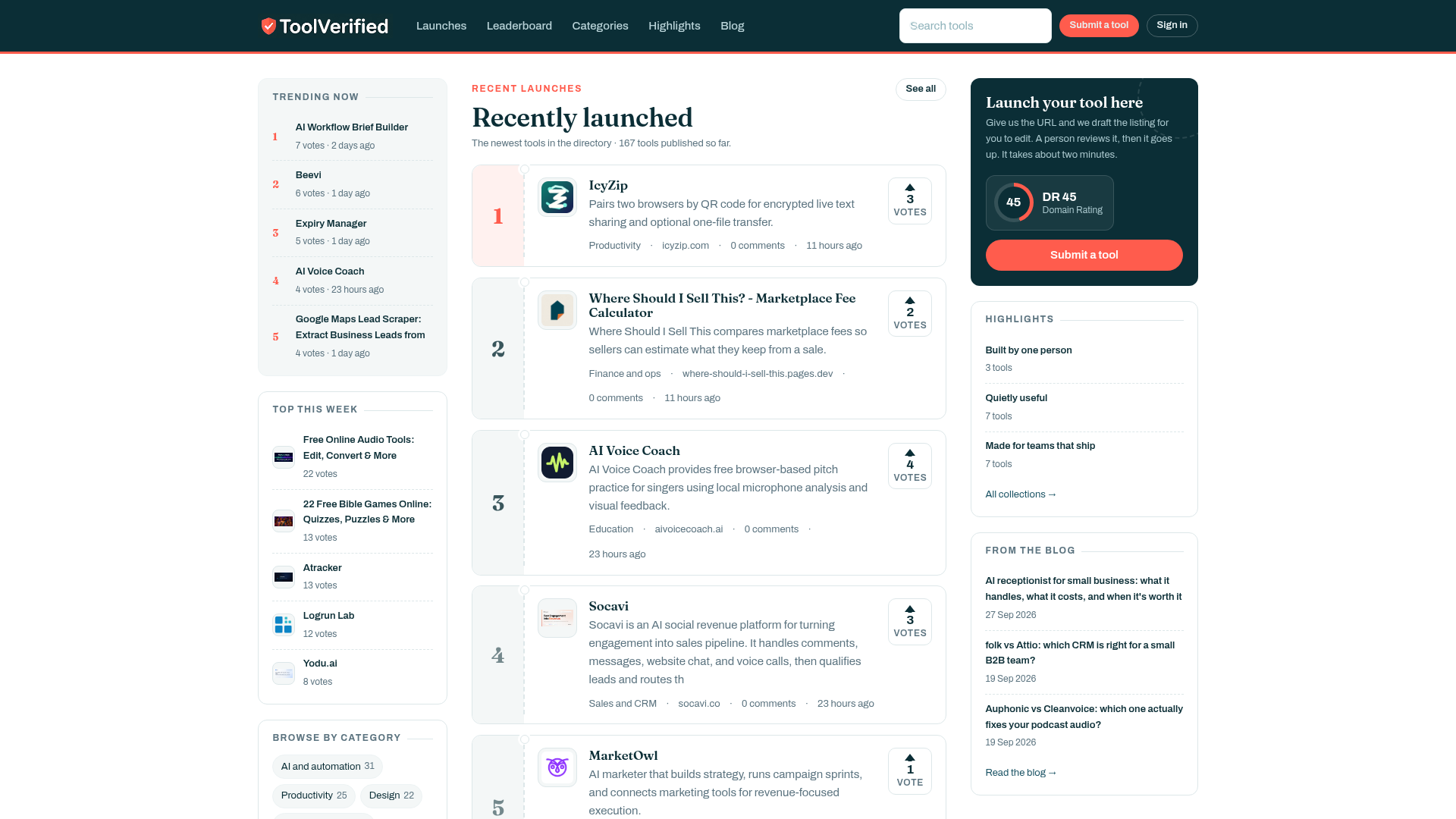
Sifting through the modern web to find dependable software has turned into an exhausting gamble. Most directory platforms rely on automated ingestion scripts that approve submissions indiscriminately. As a consequence, digital professionals waste valuable working hours testing broken sign-up pages, abandoned student projects, and low-grade marketing clones. ToolVerified establishes an intentional, human-first benchmark for tech discovery.Rather than compiling an unchecked catalog of internet noise, ToolVerified serves as an editorially vetted directory and community showcase for emerging SaaS platforms, practical artificial intelligence tools, and specialized developer utilities. Every single candidate product must clear a rigorous evaluation conducted by a human curator. We test live onboarding flows, verify that primary features match marketing promises, check domain security, and ensure the software delivers real-world utility before publication. Tools plagued by critical errors or deceptive claims are declined immediately.Once approved, listings are structured into intuitive operational categories such as Artificial Intelligence, Engineering Utilities, Team Productivity, UI/UX Design, and Financial Operations. This granular organization enables freelancers, technical founders, and agency operators to locate targeted workflow upgrades in seconds.Discoveries are further amplified by an engaged community of early adopters who test tools in production environments and cast upvotes. This peer-driven feedback naturally elevates top-performing products onto transparent daily and weekly trending leaderboards. ToolVerified delivers a high-reputation launchpad for ambitious builders while giving operators a trusted directory they can browse with total confidence.

Botmonster Tech logo

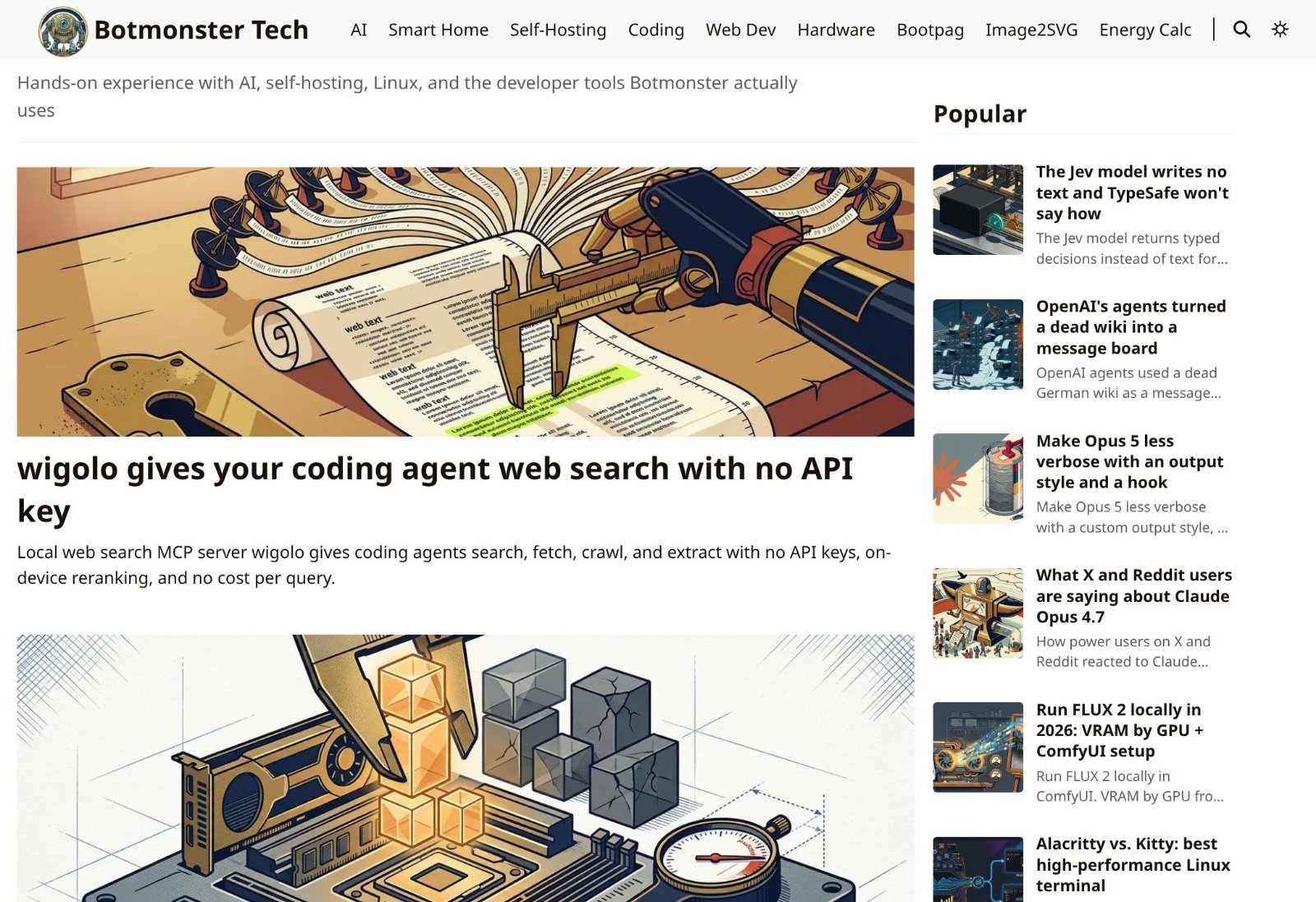
Botmonster Tech is a hands-on tech blog about AI, self-hosting, smart home, coding, web development and hardware. Every guide is tested in Botmonster's homelab and every benchmark ships with the script that produced it. The site also runs free browser tools such as an image to SVG converter and a homelab energy calculator.

Last Month's Top

Finzomo logo

Independent research publication that tests and ranks business software by category

Notion Template Finder by Notion Elevation logo

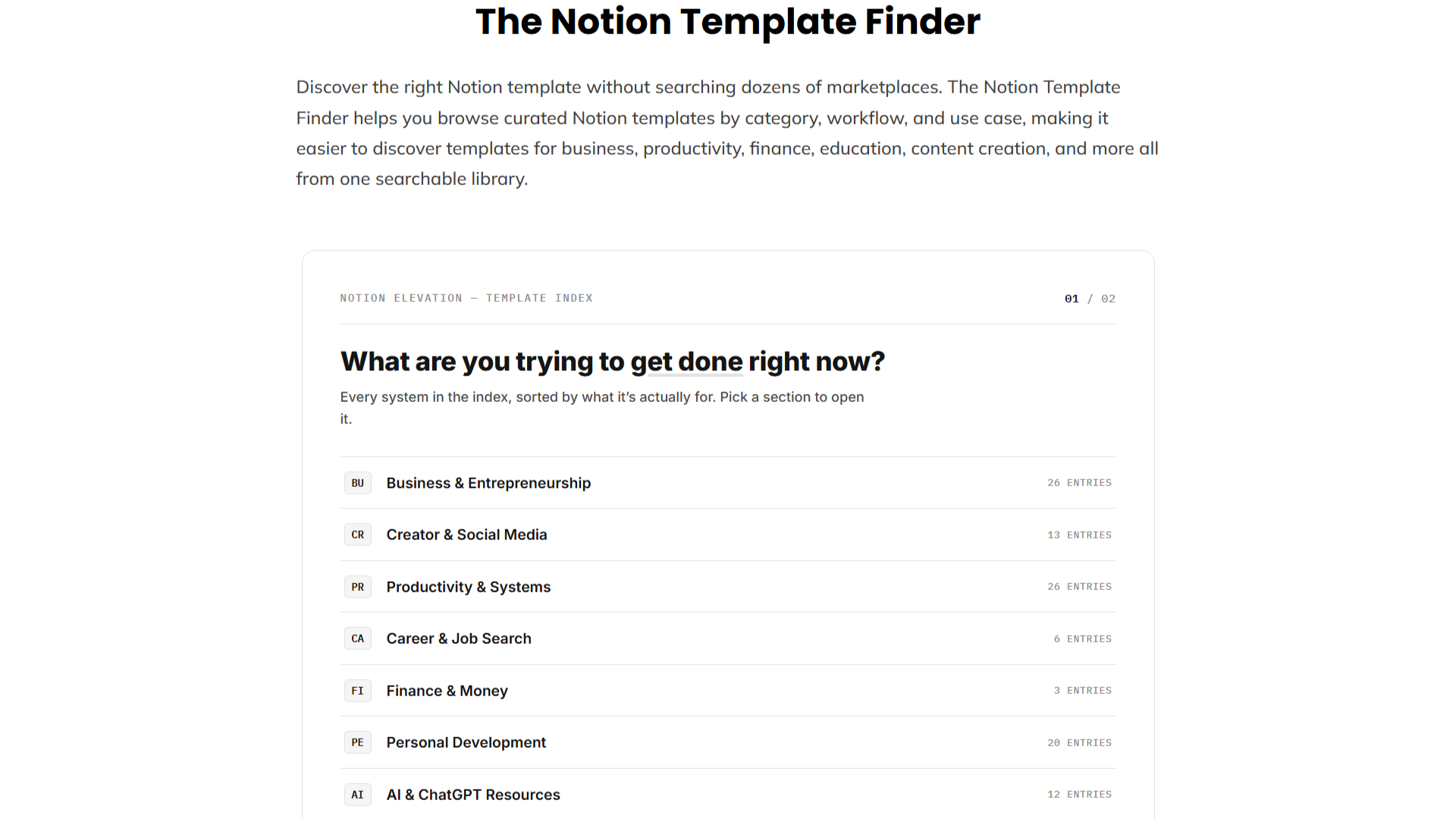
Discover the right Notion template without searching dozens of marketplaces. The Notion Template Finder helps you browse curated Notion templates by category, workflow, and use case, making it easier to discover templates for business, productivity, finance, education, content creation, and more all from one searchable library.

n8n Workflow Checker logo

Check n8n workflow JSON for configuration issues, broken references, risky settings, and other common problems before deployment. Free and browser-based.

Sellerview.ai logo

Sellerview.ai is a profit analytics platform for Amazon FBA and FBM sellers. It calculates real net profit at the SKU level — factoring in COGS, Amazon fees, ad spend, and refunds — so sellers can see exactly what they're keeping, not just what they're selling. Starting at $15/month.

PhotoRepairAI logo

PhotoRepairAI is a professional AI photo repair and restoration SaaS designed to breathe new life into damaged, old, blurry, or faded photographs. It caters to individuals and professionals seeking to preserve cherished memories and enhance image quality with advanced artificial intelligence. **Key Features:** * AI-powered scratch and crease removal with texture preservation. * Intelligent blur recovery and edge reconstruction for sharper images. * Natural faded color restoration, bringing back balanced tones. * Super-resolution enhancement (upscaling) for clearer detail and print readiness. * Dedicated portrait restoration mode for natural facial clarity and detail. * Browser-based workflow with instant before/after previews and 100% privacy protection. **Use Cases:** PhotoRepairAI is ideal for digitizing and restoring old family photos, scanned albums, and physically damaged prints that suffer from scratches, creases, or yellowing. It effectively addresses common issues like blur from shaky captures, noise, and low resolution, making images suitable for sharing on social media or light printing. The platform helps users recover lost details and improve overall image quality, ensuring historical and personal photographs are preserved for future generations. **Pricing Information:** PhotoRepairAI operates on a freemium model. Users can create an account to start a free trial, which includes instant before/after previews of repairs. For full-resolution downloads, credit packs are available: the Starter Pack offers 100 credits for $4.90 (approx. $0.49/repair), and the Pro Pack provides 400 credits for $15.90 (approx. $0.40/repair). Each repair consumes 10 credits. **User Experience and Support:** The platform boasts a clean, browser-based workflow, making it easy to use without any software installation. The three-step process—upload, select AI mode, preview, and download—is intuitive. PhotoRepairAI prioritizes user privacy, ensuring uploads are processed privately and deleted within 24 hours. Support is available via email at `support@photorepair.app`. **Technical Details:** Leveraging advanced AI, PhotoRepairAI processes a wide range of image formats including JPG, PNG, WEBP, HEIC, HEIF, TIFF, and BMP. The AI is specifically tuned to avoid artificial-looking results, focusing on natural texture recovery, clean edges, and balanced tones. The entire process is automated and runs securely in the browser. **Pros:** * Generates natural-looking, high-quality restored images. * Offers targeted AI repair modes for specific damage types. * Supports multiple image formats and batch uploads. * Ensures 100% privacy with automated data deletion. * Provides instant before/after previews for verification. **Cons:** * Very severely damaged images may still have inherent limitations. * Users need to create an account for the free trial. **Conclusion:** PhotoRepairAI provides a powerful and user-friendly AI toolkit for restoring and enhancing damaged photographs, making it an invaluable resource for preserving precious memories. Its focus on natural results and privacy, combined with a straightforward workflow, encourages users to explore its capabilities for free today.

Subscribe to Newsletter

Subscribe to our newsletter to get the best products weekly.

Latest Blogs